Guide To Printing Your Own Cards: Create Custom Cards For Any Occasion
Understanding Printing Your Own Cards
Printing your own cards offers a versatile and cost-effective solution for a wide array of personal and professional needs. Whether you are creating personalized greeting cards for special occasions, custom business cards to enhance your brand identity, or unique invitation cards for events, the ability to produce high-quality, tailored cards in-house provides significant advantages.
Personalized card printing allows for full control over the design, style, and message conveyed. This flexibility ensures that every card accurately reflects your intent, whether it's conveying warmth, professionalism, or creativity. Additionally, printing your own cards can significantly reduce turnaround time, enabling quick adjustments and immediate production, especially useful for last-minute requirements or batch orders.
From a practical perspective, producing cards in-house can lead to considerable cost savings, avoiding the premium prices associated with outsourcing printing services for small quantities. This approach also reduces reliance on external vendors and minimizes logistical delays, offering greater autonomy over the entire process.
To print your own cards effectively, a clear understanding of the available tools, materials, and techniques is essential. Depending on your specific needs, you can choose from various printing methods and materials to achieve the desired quality and durability. The proliferation of advanced digital printers and personal crafting equipment makes it feasible for individuals and small businesses to produce professional-grade cards without the need for large-scale industrial machinery.
Optimizing the quality of your self-printed cards involves attention to detail in design, material selection, and printing setup. With the right approach, printing your own cards can become an efficient, rewarding process that elevates your personal and business correspondence to new levels of professionalism and creativity.
Securing Legitimate Printing Supplies and Equipment
For those interested in printing their own cards, the selection of high-quality, legitimate supplies is paramount to achieving professional results. Reputable printing materials include certified cardstock, premium adhesive papers, and specialized printing inks tailored to your chosen method. When sourcing these supplies, it’s crucial to verify that they are compatible with your printer specifications to ensure optimal performance and durability of your cards.
Purchasing supplies from established vendors offers assurance in quality, consistency, and adherence to safety standards. These vendors often provide detailed product descriptions and technical data sheets, allowing you to select items that meet your specific printing needs. Additionally, legitimate suppliers frequently offer customer support, helping troubleshoot issues and advising on the best materials for various card types and printing techniques.
Choosing the Right Printer for Card Printing
Choosing a printer capable of producing crisp, vibrant images is essential for creating impressive cards. Inkjet printers are preferred for their ability to handle diverse paper stocks and produce high-resolution images, making them ideal for greeting cards, invitations, and custom stationery. Laser printers, on the other hand, excel in speed and precision, especially for bulk printing of business cards and standard designs.
- Color Accuracy: Ensure your printer offers color management features or supports color calibration to maintain consistent, true-to-design hues across batches.
- Media Compatibility: Confirm that your printer can handle thick cardstock or specialty papers, as these materials are common in card making.
- Print Resolution: Opt for printers with at least 1200 dpi resolution to achieve detailed and sharp images suitable for professional-looking cards.
Investing in Reliable Printing Equipment
While off-the-shelf consumer models work well for hobbyists, small businesses aiming for high-volume production benefit from investing in professional-grade printers. Industrial or semi-automatic printers offer higher capacities, faster output speeds, and enhanced quality controls, all contributing to a streamlined production process for custom cards.

Regular maintenance of your printing equipment, including cleaning print heads and updating firmware, is vital to maintain optimal printing conditions. Proper calibration and periodic checks ensure color fidelity and consistent output, cultivating confidence in your self-produced cards. Using legitimate, high-quality supplies and equipment not only elevates the visual appeal of your cards but also extends the lifespan of your devices, safeguarding your investment and minimizing downtime.
Legal and Compliance Considerations
While exploring options for printing your own cards, adhering to licensing agreements and usage rights for various materials and software is essential. Many design templates and software tools are available under licensing that permits personal or commercial use, provided terms are followed. Licensing ensures that your production process remains compliant and avoids potential disruptions or legal complications.
Strategies for Printing Your Own Cards Officially and Consistently
Creating high-quality cards in-house hinges on understanding the core principles of legitimate printing methods. Unlike casual printing, which may rely on general office printers or home devices, there are certified approaches that ensure professionalism, durability, and visual appeal. By utilizing authorized printing technologies and adhering to recommended best practices, individuals and businesses can produce cards that match industry standards.

Investing in Certified Printing Equipment
To guarantee consistent results, investing in certified, high-quality printers is indispensable. Professional-grade printers — whether digital, lithographic, or UV printers — come with precise color calibration, high resolution, and adjustable settings tailored for different card materials. These machines are designed to handle standard and custom-sized cards, offering flexibility for various design requirements.
Small-scale operations often choose digital presses for their convenience and affordability, but larger-scale endeavors benefit from semi-automatic or fully automatic industrial printers. These units support high-volume production, maintain color fidelity over extended runs, and accommodate diverse substrates, such as PVC, cardstock, or specialty papers.
Maintenance and Care Procedures
Implementing a rigorous maintenance routine maximizes equipment longevity and print quality. Regular cleaning of print heads, replacing consumable components, and firmware updates are essential practices. Proper calibration ensures that colors remain true to the original designs, preventing discrepancies like color shifts or blurry output. Periodic quality checks affirm that each batch meets the desired standards, reducing waste and rework.
Utilizing Licensed Design Software and Materials
Designing cards with licensed software ensures access to comprehensive tools and design templates that are compliant with intellectual property laws. Programs like Adobe Photoshop, Illustrator, or CorelDRAW provide advanced capabilities for creating vibrant visuals, intricate artwork, and precise layout arrangements. Licensing these platforms enables seamless integration of custom fonts, high-resolution images, and vector graphics, resulting in crisp, professional designs.
Furthermore, sourcing materials from reputable suppliers guarantees consistency in color, texture, and durability. High-quality papers and card stocks certified for professional printing provide a firm foundation for custom designs. Using legitimate supplies minimizes issues such as ink smudging, color bleeding, or warping, and enhances the final product's tactile appeal.
Implementing Legal and Ethical Guidelines
Maintaining compliance with licensing agreements and usage rights ensures that your card printing operations remain within authorized boundaries. This involves verifying that all digital assets, fonts, and design elements are appropriately licensed for commercial use. Performing due diligence on the sources of your materials prevents inadvertent infringement and upholds your reputation for producing legitimate, high-caliber cards.
Samples and Proofing: Critical Steps for Accuracy
Prior to full-scale production, conducting test prints and proofs is vital. Test runs provide a tangible preview of the final product, revealing potential issues such as color inaccuracies, alignment errors, or material compatibility problems. Reviewing proofs allows adjustments in layout, color settings, and material choices, ensuring the finished cards meet the desired specifications. Investing time in thorough proofing reduces costly reprints and accelerates the overall production timeline.
Documenting and Tracking Your Printing Processes
Maintaining comprehensive records of your printing parameters, supplies used, and maintenance schedules fosters consistency. Tracking these details aids in troubleshooting, quality assurance, and future reproduction projects. Proper documentation also provides transparency and helps demonstrate adherence to recommended procedures, supporting a professional approach to self-production.
Safety and Legal Considerations
Adhering to established safety standards while handling printing equipment and chemicals (such as inks and solvents) protects your health and ensures compliance with occupational guidelines. Additionally, understanding the legal landscape surrounding intellectual property rights preserves your operation from potential disputes. Using licensed designs and properly attributing copyrighted material is critical when creating personalized or branded cards.

Choosing Materials and Printing Options
When it comes to creating your own cards, selecting the appropriate materials and printing techniques is crucial to achieving a professional, durable result. The right choices depend on the purpose of the cards, the desired finish, and your budget. Here are some key considerations to guide your selection process.
Overview of Paper Types
The foundation of any card is the paper or substrate used. Common options include:
- Cardstock: A thick, sturdy paper ideal for greeting cards, business cards, and invitation cards. It offers durability and a premium feel.
- Matte Finish Paper: Provides a smooth, non-reflective surface that enhances readability and gives a sophisticated appearance.
- Glossy Finish Paper: Creates vibrant color reproduction with a shiny surface, perfect for photographic images and eye-catching designs.
- Textured Paper: Adds tactile interest with textures such as linen, felt, orized finishes, giving your cards a unique touch that stands out.
- Recycled Paper: An eco-friendly option that supports sustainability without compromising quality.
Finish Types and Their Impact
The finish applied to the paper significantly influences the final appearance and durability of your cards. Common finishes include:
- Matte Finish: Minimizes glare and fingerprints, offering a sleek, understated look suitable for elegant designs.
- Glossy Finish: Enhances color vibrancy and sharpness, ideal for vivid graphics and photographs.
- Soft Touch: Provides a velvety texture that elevates the tactile quality of your cards, making them feel high-end.
- UV Coating: Adds a protective layer to resist scratches and smudges, extending the lifespan of your cards.
Printing Techniques Suitable for Custom Cards
Choosing the right printing method is essential for achieving high-quality results. Consider the following options:
- Digital Printing: A versatile, fast, and cost-effective method suitable for small to medium runs. It provides vibrant colors and sharp detail with minimal setup time.
- Offset Printing: Preferred for larger quantities, offering excellent color consistency and high-quality output. Ideal when uniformity across many cards is required.
- Letterpress and Embossing: Adds tactile elements like raised text or images, creating an engaging sensory experience. Suitable for premium cards requiring special effects.
- Screen Printing: Used for bold, simple designs, particularly on thicker materials or specialty surfaces.
Additional Customizations and Features
Enhancing your cards with custom features can elevate their visual appeal and functionality:
- Spot UV Coating: Applies a glossy finish to specific areas, creating contrast and visual interest.
- Foil Stamping: Adds metallic accents for a luxurious touch, perfect for branding or special occasions.
- Die-Cutting: Creates unique shapes and edges, allowing for innovative card designs that break away from traditional formats.
- Laminate Coatings: Provide extra protection against wear and tear, ideal for cards that will be handled frequently.
Making informed decisions about materials and printing options ensures your custom cards meet your expectations in quality, durability, and visual impact. Whether you're designing business cards, greeting cards, or promotional materials, the right combination of substrate, finish, and printing technique will help your cards stand out and convey your message effectively.
Understanding Printing Your Own Cards
Creating your own printed cards offers an exceptional way to express personal or corporate identity through high-quality, customized designs. This process involves selecting the right printing techniques, materials, and finishing options to ensure your cards are not only visually appealing but also durable and suitable for their intended purpose. When you print your own cards, you gain control over every aspect of the production, from design to final output, empowering you to craft unique pieces that stand out in any setting.
Operational Considerations for Home and Professional Printing
Home printing setups, primarily using inkjet or laser printers, are suitable for small-volume, personalized projects such as greeting cards or small batches of business cards. These printers are accessible and cost-effective, allowing quick adjustments and on-demand printing. However, their capacity for color accuracy, paper compatibility, and finishing options is limited compared to professional-grade equipment.
Professional printing services utilize advanced digital, offset, and specialty printing techniques to produce high-volume, consistent prints with exceptional detail and color fidelity. They also offer a wide range of materials, finishes, and custom features that are difficult to replicate at home. For larger projects or those requiring specific finishes, considering a professional service ensures a polished final product that aligns with branding or personal aesthetics.

Key Techniques in Card Printing
- Inkjet and Laser Printing: Ideal for small batches, offering fast turnaround times and decent color reproduction. Inkjet printers excel in vibrant colors and photo-quality images, while laser printers provide sharp text and durability against wear.
- Digital and Offset Printing: Digital printing is suitable for rapid, cost-effective production of short to medium runs, maintaining high quality and flexibility. Offset printing is preferred for larger orders, providing excellent consistency and superior color accuracy across extensive quantities.
- Specialty Techniques: Including foil stamping, embossing, or spot UV coating, these methods add tactile and visual enhancements that elevate the perceived value of your cards. Such features are typically available through professional printing services but can significantly impact the overall impression.
Choosing the Right Printing Method for Your Need
Determining the best approach depends on your specific project requirements. If you are producing a few personalized greeting cards or invitations, home inkjet or laser printers are practical options. For business cards, marketing materials, or premium invitations requiring durability and high-resolution details, leveraging professional digital or offset printing providers ensures superior results.
Matching your choice of printing process with suitable materials and finishes is crucial. Factors such as paper weight, texture, coating types, and additional features like foil accents or embossing influence the final look and feel of your cards. Always consider the image you wish to project and select options that complement your design vision.

Identifying Suitable Methods to print your own cards
When considering how to print your own cards with professional quality and durability, it’s essential to evaluate the options available based on your specific project needs, budget, and desired output. The primary methods include digital printing, offset printing, and specialized finishes, each offering unique advantages for different types of cards such as greeting, business, or promotional cards.
Digital Printing
Digital printing has become the go-to choice for many small to medium-scale projects due to its quick turnaround times and cost-effectiveness. It allows for printing high-resolution images directly from digital files, making it ideal for personalized cards requiring variable data, such as names or customized messages. The setup process is minimal, and adjustments can be made conveniently without the need for printing plates or extensive preparation. For those looking to produce small batches or prototypes, digital printing provides excellent flexibility and consistent quality.

Offset Printing
Offset printing is suited for larger quantities, where consistency and color accuracy across extensive runs are paramount. This method employs printing plates and precise ink transfer, resulting in crisp, clean, and highly detailed images. Although setup costs are higher, offset printing offers economical advantages for bulk production, providing high quality at a lower per-unit cost. Its ability to produce consistent results makes it suitable for crafting professional-looking business cards and premium invitation cards where image fidelity is critical.
Specialty Finish Techniques
To elevate the perception of your cards, incorporating specialty finishes can create tactile and visual appeal. Techniques such as foil stamping add metallic accents, embossing creates premium textured elements, and spot UV coating enhances specific areas with glossy highlights. These finishing options are often added during professional printing processes but require careful planning during the design stage to ensure compatibility with your chosen method. Implementing these features can significantly boost the perceived value of your cards and leave a lasting impression on recipients.
Choosing the Right Equipment and Supplies
For individuals or small businesses opting to print their own cards at home or in a local print shop, selecting appropriate equipment is crucial. Inkjet and laser printers are common choices, each suited for different types of finished products. Inkjet printers excel at handling thicker cardstock and producing vibrant images with smooth gradients, making them good for high-quality, personalized cards. Laser printers are more efficient for bulk printing and offer sharp text and images, suitable for business cards and simple designs. Additionally, selecting compatible card stock, finishes, and coatings ensures the final product meets professional standards.
Ensuring Optimal Print Quality
Before proceeding with printing, it’s vital to prepare high-resolution digital files, typically in PDF or TIFF formats, that adhere to your desired dimensions and bleed settings. Calibrating your printer to match color profiles and running test prints can help identify potential issues and optimize settings for color accuracy and sharpness. Proper management of print margins and bleed areas prevents unwanted cropping and ensures your design elements stay within safe boundaries. Consistent calibration and quality control measures are essential steps to produce cards that meet professional expectations.
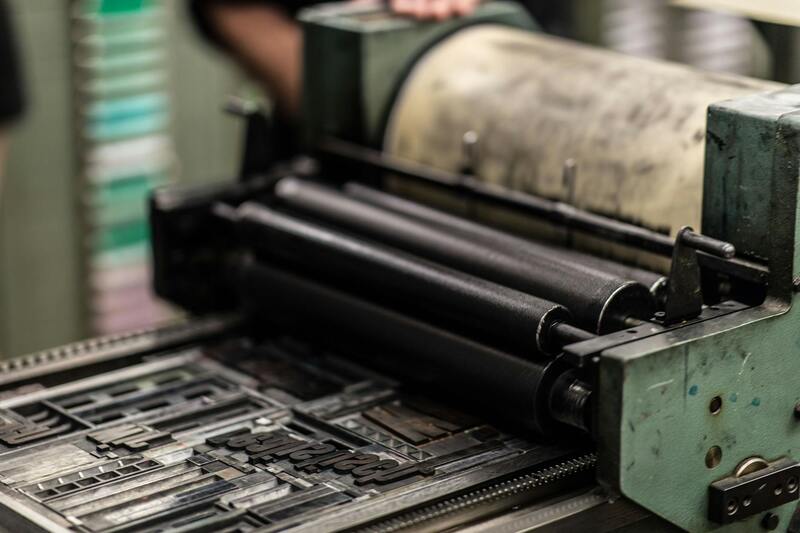
Understanding Printing Your Own Cards
Printing your own cards allows for personalized, flexible, and cost-effective customization suited to individual needs or specific branding requirements. It involves preparing digital artwork, selecting suitable printing equipment, and managing the entire production process to produce high-quality cards that meet your standards. With the right approach, you can maintain complete control over the design, finish, and production timeline, ensuring each card aligns perfectly with your vision. This self-managed method is particularly advantageous for small businesses, event organizers, and craft enthusiasts who seek a tailored touch without relying on third-party services.
Key Benefits of Printing Your Own Cards
- Customization: Unlimited creative freedom to incorporate personal or brand-specific elements.
- Cost Efficiency: Reduces per-unit costs, especially for small batches or frequent updates.
- Speed: Faster turnaround times from design to finished product, ideal for urgent needs.
- Quality Control: Direct oversight over print quality, materials, and finishes ensures the final product meets expectations.
- Unique Finishes and Embellishments: Opportunities to add special effects such as embossing, foil stamping, or custom textures for an elevated appearance.
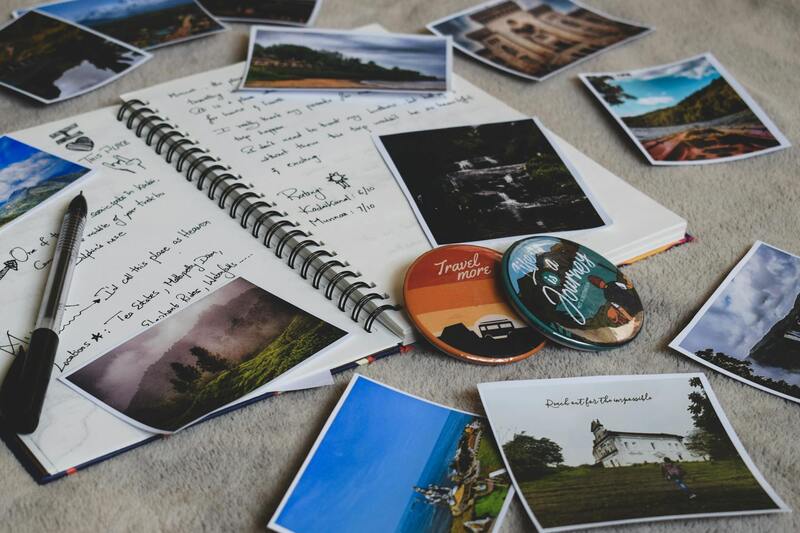
Choosing the Right Paper and Finishes
Material selection plays a pivotal role in the final look and feel of your cards. Common options include heavyweight cardstock, matte or gloss finishes, and specialty textures such as linen or canvas materials. For a professional touch, consider options with a protective coating or UV coating to enhance durability and appearance. The choice of thickness, coating, and texture should align with your overall design and purpose of the cards, whether they are business cards, invitations, or greeting cards. Proper selection not only elevates aesthetic appeal but also ensures a durable product that maintains its quality over time.
Design Considerations for Effective Cards
Designing your own cards involves strategic use of visuals and information. High-resolution graphics ensure sharpness and clarity, especially when printing detailed images or fine text. Use color profiles that match your intended output, and keep bleed areas and margins in mind to prevent unwanted cropping. Including clear contact details, branding elements, or personalized messages enhances the functionality and personal touch of your cards. Utilizing design templates can help maintain consistency and ensure proper alignment, especially if you're new to graphic design tools.
Maintenance and Calibration of Printing Equipment
To achieve optimal print results, regular maintenance and calibration of your printing equipment are essential. Inkjet printers require periodic cleaning of print heads to avoid clogged nozzles, whereas laser printers benefit from routine toner and roller inspections. Calibrating color profiles prior to starting production ensures color accuracy across prints, maintaining brand consistency and visual appeal. Running test prints on sample sheets allows for adjustments in color, density, and alignment, minimizing waste and ensuring every batch meets your standards.
Preparing Files for Printing
Correct file preparation is a fundamental step in the self-printing process. Files should be in high-resolution formats such as PDF, TIFF, or EPS, with an optimal resolution of at least 300 DPI. Include bleed areas, typically 3mm, to accommodate trimming and prevent white borders. Incorporate crop marks and color profiles for consistency. Using professional design software like Adobe Illustrator or Photoshop is recommended to manage layers, colors, and layout accurately. Ensuring files are correctly prepared reduces errors during printing and enhances the overall quality of your finished cards.
Implementing a Consistent Workflow
Establishing a consistent workflow streamlines the entire process and guarantees reliable results. Start with a detailed plan outlining design steps, material preparation, printer calibration, and quality checks. Maintain organized storage for digital files, templates, and print samples. Conduct routine quality control checks after each batch, inspecting color fidelity, registration, and finishing details. Keeping detailed records of settings and material types used helps replicate successful prints and identify issues efficiently, sustaining high standards for all your card printing projects.
Understanding Printing Your Own Cards
Printing your own cards offers a versatile, cost-effective way to produce personalized greeting cards, business cards, invitations, or promotional materials with complete creative control. It empowers individuals and businesses to customize designs, choose specific materials, and control the entire production process. When approached with the right knowledge and equipment, self-printing can deliver professional-quality results that meet your unique specifications. This approach also allows for rapid turnaround times, flexibility in printing small batches, and the opportunity to experiment with different styles and finishes. Whether for personal projects or business branding, understanding the essentials of printing your own cards ensures that each piece reflects your vision accurately and professionally.
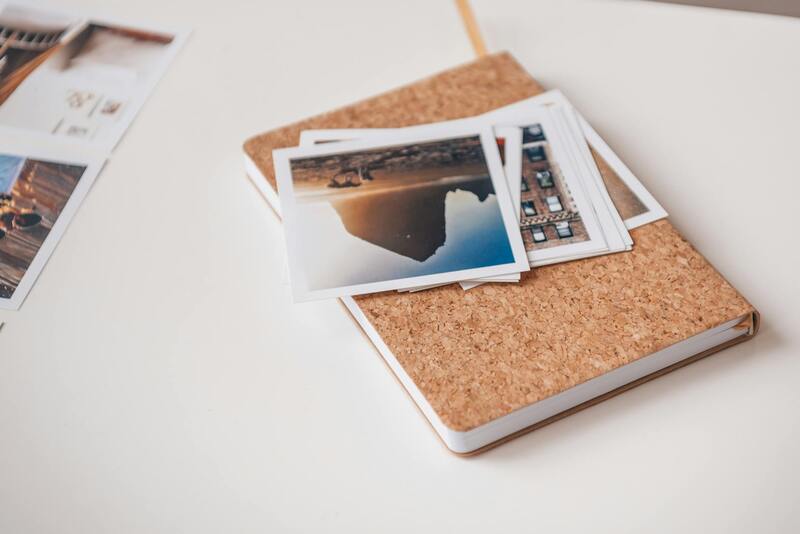
Types of Custom Cards You Can Create
The range of cards you can produce ranges from simple single-sided designs to intricate multi-layered and textured finishes. Popular types include:
- Business Cards: Compact and professional, ideal for networking and branding.
- Greeting and Invitation Cards: Personal or corporate, tailored for events, holidays, or special occasions.
- Promo and Marketing Cards: Small flyers or coupons designed to attract customer attention.
- Membership and Loyalty Cards: Durable cards for business loyalty programs.
- Art and Photo Prints: Customized art pieces or photographic prints with high visual impact.
Every card type benefits from specific design considerations and material choices to enhance durability, appearance, and functionality. The ability to customize every element—from size and shape to finishes—enables the creation of impactful, memorable cards suited to your exact needs.
Designing Your Cards
Effective card design is fundamental in translating your concept into a visually compelling finished product. Utilizing professional design software such as Adobe Illustrator, Photoshop, or user-friendly online design tools allows for precise control over layout, color schemes, typography, and imagery. When designing, focus on clarity, brand consistency, and visual hierarchy to ensure your message is easily communicated. Incorporate bleed areas—typically 3mm—to accommodate trimming without cutting off design elements. Crop marks help align the cuts accurately. Opt for high-resolution images, ideally 300 DPI, to prevent pixelation and ensure crisp details. Consider the card's purpose and audience, choosing styles, colors, and fonts that resonate effectively. For those unfamiliar with design software, many online platforms and templates are available to simplify the process while maintaining a professional look.

Choosing Materials and Printing Options
The selection of materials and finishing options significantly impacts the look, feel, and durability of your cards. Common paper stocks include matte, gloss, semi-gloss, and textured finishes, each offering a distinct tactile experience. Thick card stock—ranging from 300gsm to 600gsm—provides durability and a premium feel, ideal for business cards. For greeting cards or invitations, specialty materials like recycled paper, textured card stock, or metallic finishes can add visual interest. Printing options vary from simple digital printing to offset printing for large batches. Digital printing offers quick turnaround times, affordability, and the ability to produce short runs with vibrant color reproduction. Consider additional finishes such as lamination, foil stamping, embossing, or spot UV coating to elevate the design’s sophistication and create a distinctive impression.
Printing Methods and Equipment
Several printing methods are available for self-production, each suited to different project requirements. Digital printers are widely used for low to medium volumes, providing high-quality output, quick setup, and the flexibility for variable data printing. Inkjet printers are versatile, capable of printing on various materials, including textured or thicker stocks. Laser printers are suitable for sharp text and detailed graphics but may have limitations with thicker paper. For larger quantities or professional results, access to an offset printing setup may be necessary, although it involves higher initial costs. When selecting equipment, consider the printer’s resolution (preferably 600 DPI or higher), color accuracy, and compatibility with your chosen materials. Proper calibration and maintenance are crucial to minimize common issues like color discrepancies, banding, or misregistration. It’s often advisable to invest in or rent commercial-grade printers for larger, high-volume projects to ensure consistent quality and efficiency.
Step-by-Step Process for Printing Your Cards
Executing a successful self-printing project involves meticulous planning and execution. The process generally includes:
- Design Finalization: Complete your design files, ensuring they include bleed and crop marks, and are in the correct format with appropriate resolution.
- Material Selection: Choose the paper or card stock that aligns with your design’s purpose and aesthetic.
- Printer Calibration: Adjust your printer settings—color profiles, paper type, and print quality—to match your material and desired output.
- Test Prints: Conduct sample prints to check colors, registration, and overall appearance. Adjust settings as necessary.
- Batch Printing: Once satisfied, proceed with printing the desired quantity in controlled batches to maintain consistency.
- Finishing Touches: Apply any additional finishes such as cutting, folding, lamination, or embellishments like foil or embossing.
Monitoring each step ensures the end result meets your expectations and avoids costly mistakes.
Customizing and Personalizing Your Cards
Personalization elevates the relevance and appeal of your cards, especially for branding, gifting, or special events. Techniques include:
- Variable Data Printing: Incorporate names, personalized messages, or unique codes into each card without altering the main design—ideal for invitations or membership cards.
- Use of Different Materials: Combine gloss, matte, or textured paper to create tactile contrasts that enhance visual interest.
- Adding Embellishments: Embossing, foil stamping, or spot UV coatings can highlight specific areas, making your card stand out.
- Incorporating Handwritten Elements: For a personal touch, leave space for handwritten notes or signatures.
By leveraging these personalization techniques, you can produce cards that not only look professional but also resonate emotionally with recipients, strengthening connections and brand loyalty.